Live
Console at /app/
Deployed to the site over HTTPS, served as static files. Open the console.
Phase one of the platform: a working React console covering the agent registry, the agent factory, automatic provisioning, agent-to-agent communication, the human approval queue and the admin panel — deployed and verified in a real browser.
A single-page React application implementing the web surface of the platform design. It runs entirely in the browser against an in-memory data layer, which is deliberate: the screens, permissions, validation and guardrails are real and testable before the API exists.
The registry is generated from the fleet document: 61 role archetypes plus 15 infrastructure agents, 1,637 skills in total.
Sensitive requests trip a gate and route to a human instead of the agent pretending to act.
Scope discipline: this is the web system only, as requested. There is no server API, database or authentication backend in this build — those are phases P1 and P5 of the plan. Everything the API will later own is isolated behind the store module so it can be swapped for real endpoints without rewriting the screens.
React 18 · Vite 5 · plain CSS with design tokens · no UI framework, no icon library, no external requests at runtime.
The platform CSP blocks third-party origins, and a dependency-free build keeps the bundle at 280 KB with zero runtime fetches.
| Screen | Purpose | Key interactions | Edge states |
|---|---|---|---|
| Dashboard | Role-aware KPIs, fleet-by-division bars, approval preview and recent audit activity. | Live counts from state; role gates what you can decide. | Loading state while the mock API settles |
| Agent registry | All 76 agents with search across names, roles, 1,637 skills, 413 responsibilities and 669 capabilities. Full dossiers show responsibilities, capabilities and the complete skill stack per agent. | View toggle between full dossiers and compact cards; division and autonomy filters; detail drawer. | Empty state when filters exclude everything |
| Dossier drawer | Mandate, complete skill stack, division guardrail profile, ceiling rules and lifecycle. | Clone-as-new-agent hands off to the factory prefilled. | — |
| Agent console | Converse with any agent; guardrails fire live on sensitive requests. | Typing indicator, send on Enter, capability panel alongside. | G2 and G5 trip into the approval queue instead of pretending to act |
| Agent factory | Eleven-field creation wizard with clone-from-archetype and 1,637-skill suggestions. | Hard validation gates block bad agents before anything is written. | Six refusal paths render as a numbered error list; role-locked view for operators |
| Auto-provisioning | Policy editor (caps, budget, cooldown, locked domains) plus a six-signal simulator. | Fire a signal and watch the engine clone, draft, provision oversight, block or queue. | Cap-reached and locked-domain paths both block with a reason |
| Agent-to-agent | Run a typed exchange across the bus with a chosen pattern and agent pair. | Trace timeline, depth and message-budget accounting, guardrail notes. | Cycle and depth violations are caught and reported |
| Approval queue | Human counter-signature inbox with options, impact and the agent's recommendation. | One-click decide, written to the audit chain. | Role without approval rights sees an explanatory block |
| Audit chain | Append-only list of every action, actor, target and result. | Grows as you use the app. | Table scrolls on narrow screens |
| Admin panel | Users and organisations, provider/model routing weights, packages, feature flags. | Tabs; flags and packages toggle live. | Non-admin roles get a denial panel |
| Project documentation | In-app documentation: overview, architecture, roles and permissions, the agent model, frontend guide, deployment and operations, roadmap and changelog. | Tabbed sections in the super admin menu. | Non-admin roles get a denial panel |
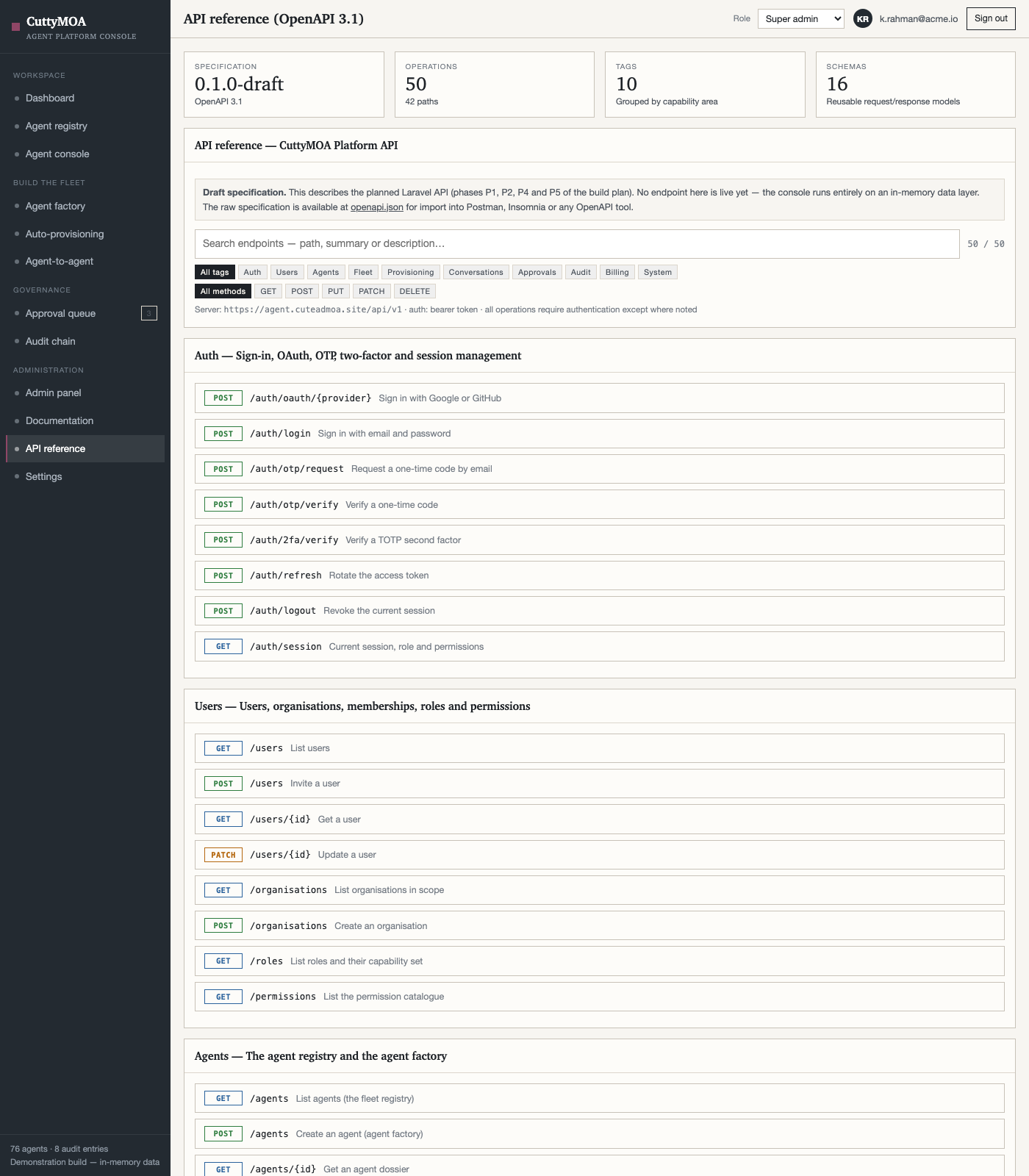
| API reference | OpenAPI 3.1 specification of the planned API — 50 operations across 10 capability tags, with 16 reusable schemas and example calls. | Filter by tag or method, expand an operation, simulate a response, download the raw spec. | A banner states the API is not live; simulate is explicit about which calls have no backend |
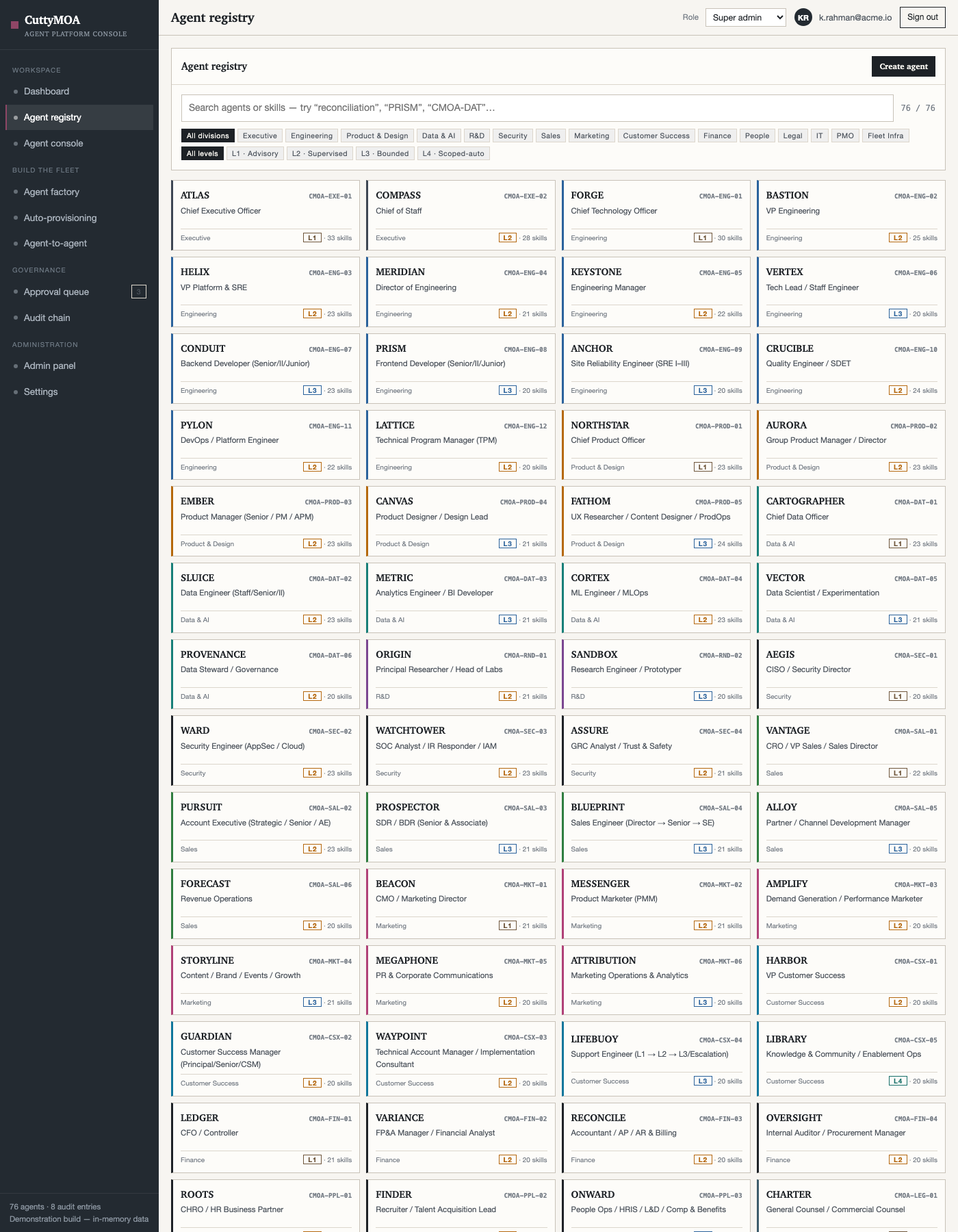
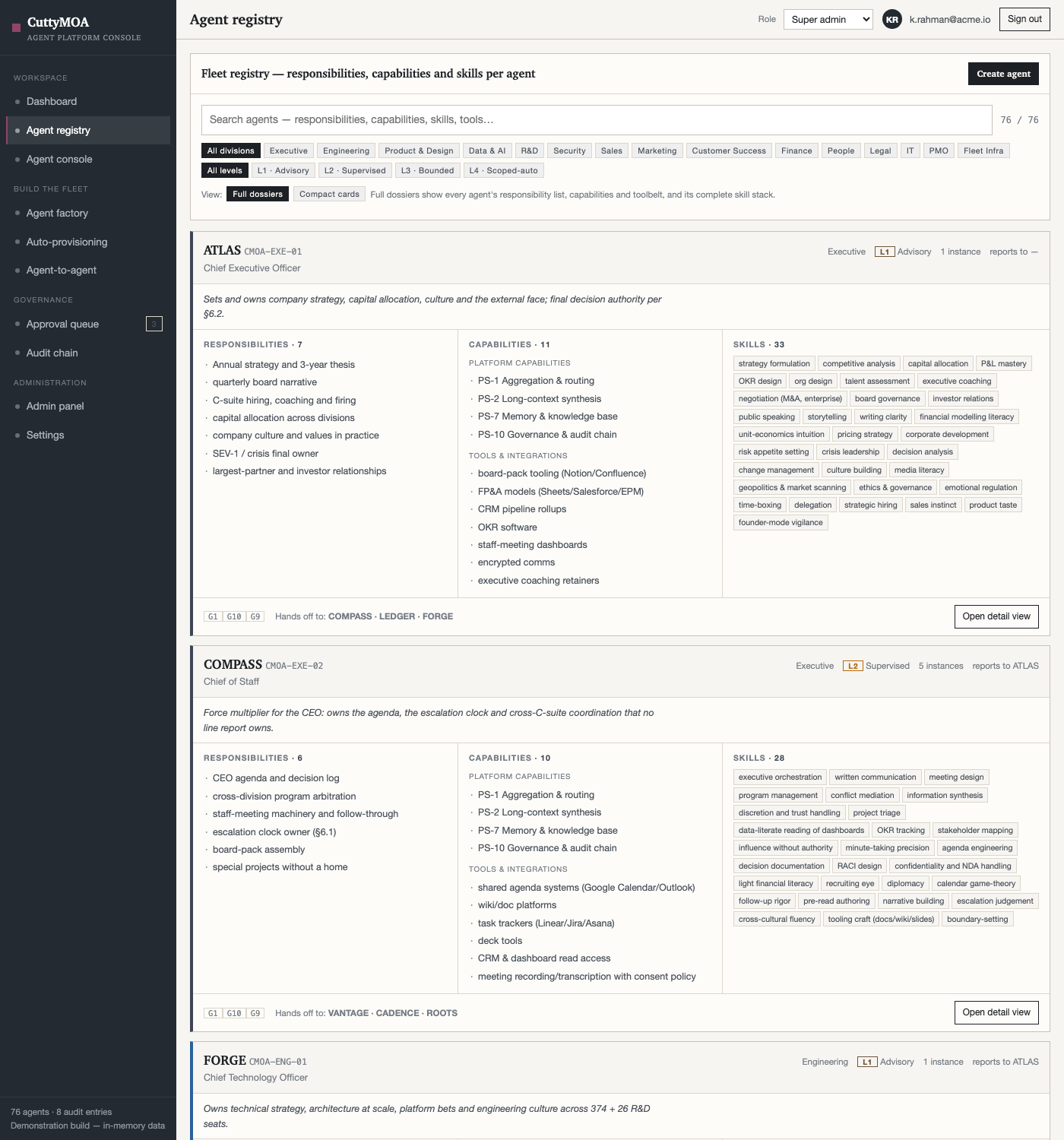
The registry module is generated directly from the fleet document, so the app carries every agent's name, ID, division, autonomy ceiling and complete skill stack.
| Division | Agents | Division | Agents |
|---|---|---|---|
| Executive | 2 | Customer Success | 5 |
| Engineering | 12 | Finance | 4 |
| Product & Design | 5 | People | 3 |
| Data & AI | 6 | Legal | 2 |
| R&D | 2 | IT | 2 |
| Security | 4 | PMO | 2 |
| Sales | 6 | Fleet Infra | 15 |
| Marketing | 6 | ||
| Total | 76 | 1,637 skills carried into the app | |
Switching the role in the top bar changes what the console allows — the same rules documented in the plan, enforced here on the client so the behaviour is visible and testable before the API exists.
| Role | Create agents | Max ceiling | Approvals | Admin panel |
|---|---|---|---|---|
| Super admin | Yes — any division | L4 | Yes | Yes |
| Admin | Yes — own divisions | L3 | Yes | Yes |
| Agent operator | Request only | L1 | No | No |
| Manager | No | — | Yes | No |
| Analyst | No | — | No | No |
| Viewer | No | — | No | No |
| Client | No | — | No | No |
Six signals are wired to the documented decision rules: volume and coverage signals clone an archetype inside the division cap; a capability gap drafts a new archetype for approval; drift provisions oversight agents; locked domains and caps block and hand the work to a human. The policy editor exposes caps per division, a monthly budget, a cooldown and the per-day limit, and every decision is appended to the audit chain.
Seven patterns are selectable — delegate, consult, handoff, broadcast, chain, arbitrate and escalate. A run produces a typed trace with sender, receiver, message type and depth, applies the delegation-depth limit, detects self-delegation cycles, accounts for the message budget, and reports which guardrails applied. The privilege rule is stated in the trace: an agent cannot grant a peer tools or autonomy it does not itself hold.
| Guardrail | What the web app does |
|---|---|
| G2 · Money | Detects pricing, discount, refund, contract and payroll intents in the console; refuses to commit and raises an approval-queue item instead. |
| G5 · Code | Deploy, merge and migration requests are acknowledged and gated behind a human reviewer. |
| G10 · Shadow & kill | New agents are created in draft; the factory states plainly that creation confers no autonomy. |
| G1 · Reversible | Cap and budget breaches stop automatic cloning and surface the reason. |
| G9 · Audit | Creation, provisioning decisions, approvals and guardrail trips all append to the audit screen. |
cd cuttymoa-web
npm install          # React 18 + Vite 5, 62 packages
npm run dev          # local development server
npm run build        # production bundle → dist/
app.js 267 KB (85 KB gzipped) · index.css 9.7 KB · index.html 0.5 KB. Stable filenames so a rebuild overwrites cleanly.
Static files under /app/ on the existing vhost, served over HTTPS. No new ports, no new services, no other site touched.
Zero external asset references — no CDN fonts, scripts or images. Nothing is fetched at runtime.
| To change | Edit |
|---|---|
| Agent names, skills, divisions | src/agents.js — regenerate from the fleet document rather than editing by hand |
| Roles, ceilings, permission matrix | src/store.jsx — ROLES and the createAgent validation |
| Provisioning rules, caps, locked domains | src/store.jsx — DEFAULT_POLICY and evaluateProvisioning |
| Collaboration patterns and limits | src/store.jsx — PATTERNS, MAX_DEPTH, MSG_BUDGET |
| Colours, spacing, typography | src/styles.css — the token block at the top |
| Guardrail wording | src/agents.js — the GUARDRAILS map |
| Check | Result |
|---|---|
| Production build | Passed — 37 modules, 280 KB output, no warnings |
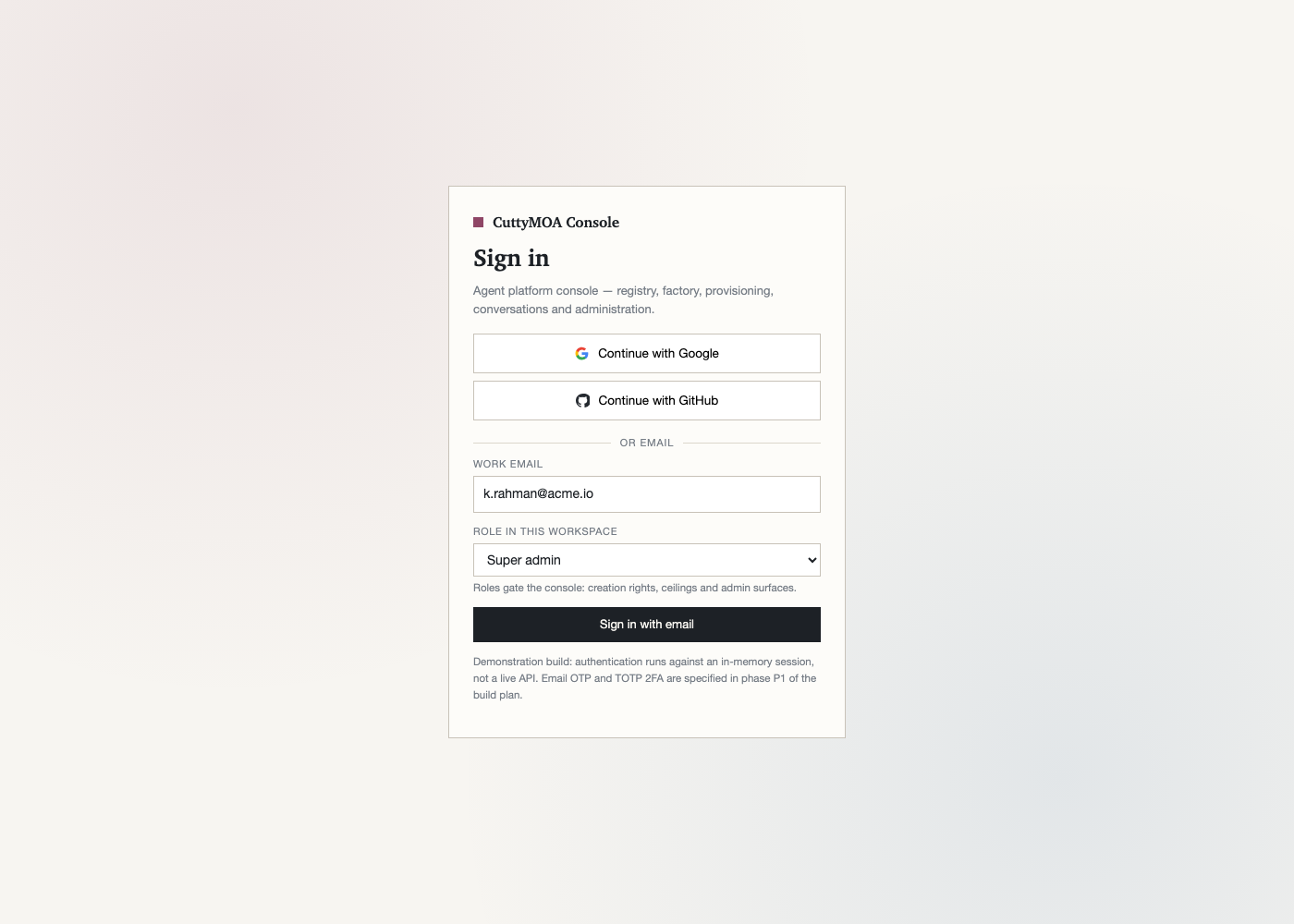
| Functional test in a real browser | Sign-in → shell rendered with 10 navigation items, 4 dashboard KPIs, and the registry showing 76 agent cards |
| Live deployment | /app/, bundle and stylesheet all return 200 over HTTPS; the live app renders the sign-in screen |
| Landing integration | Three links from the landing page into the console |
| External asset scan | 0 external references across all 7 site files |
| Responsive layout | Sidebar collapses to a slide-over below 900px; chat bubbles and cards reflow; no horizontal overflow |
| Accessibility basics | Real form controls, labelled inputs, focus outlines, aria-live chat log, keyboard-operable buttons |
| Full WCAG 2.2 AA audit | Not done — scheduled as a quality gate in phase P8 |
| Cross-browser pass | Not done — verified in Chromium only |
| Automated unit tests | None yet — the validation and provisioning engines are the first candidates |
Honest limit of this build: data lives in memory, so a page reload resets the console to its seed state. There is no server, no database and no real authentication yet — sign-in accepts any role you pick, by design, so the permission model can be demonstrated. Those are phase P1 (API core) and P5 (payments) in the build plan.